
Series of 4-6+ Lessons
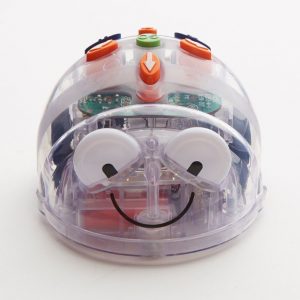
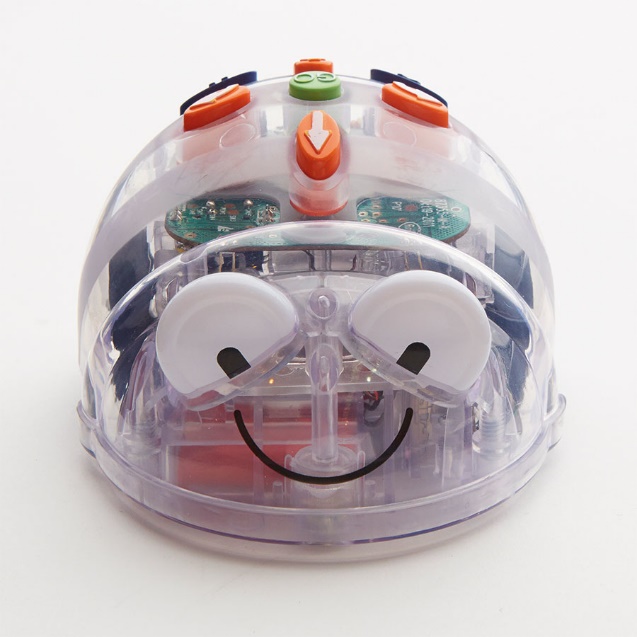
Pupils learn to create short sequences of instructions (algorithms) and enter these as very simple programs on the Blue-Bot floor robots (or similar). They learn how to spot and correct errors in their program (debugging).
Objectives
- I can create a sequence of instructions.
- I can program a floor robot to move to a specific point.
- I can debug errors in a program.
ELG 15 Technology: children recognise that a range of technology is used in places such as homes and schools. They select and use technology for particular purposes
P Levels p 7/8 CS
- Follow a short sequence of instructions to operate a digital device
- Give simple instructions to control a range of digital devices
- Understand that digital devices can be controlled in different ways
- Appreciate that changing instructions can change outcomes
- Can identify the steps of a known task
- Try alternative approaches in order to achieve a goal
- Understand that we control digital devices by giving them instructions.
- Can list the steps of a known task in order
- Independently follow a short sequence of instructions to achieve a specific outcome
- Create a short sequence of instructions to control a digital device
- Change instructions to achieve a different outcome.
Activity/Lesson 1 of 5/6
Giving instructions – Unplugged activity
Model with a teacher and assistant giving instructions where one behaves like a robot.
Eg. Walk forward, walk backwards, turn to face the door, turn round. (make it fun as the robot walks into things because they haven’t been told to stop or walk for a certain number of steps)
Depending on pupil’s confidence and ability
- Pair Groups of Pupils to do the activity for themselves
Model the robot again with the teacher and introduce the Blue-Bot Arrows and turn cards to represent the actions. Model repeating the words forwards, backwards, turn left, turn right (1/4 turn)

Extension: Introduce the clear  and Go
  actions
Links PE – can be started in PE
Download multiple arrow images from Barefoot Computing Here
Activity/Lesson 2 of 5/6
Giving instructions – Introducing the Blue/Bee-Bot
Go over the teacher and pupil’s instructions activity Model with adult and pupils if possible
Introduce the Blue-Bot
- Show the buttons and what they do
- Allow the pupils to explore the Blue-bot on their own or in small groups.
Explain pupils are going to be controlling the robots to make them move in this lesson.
Model making Blue-Bot go and introduce the Blue-Bot Arrows and turn Paper/cards to represent the actions. Model repeating the words forwards, backwards, turn left, turn right (1/4 turn) as you use them.
Depending on pupil’s confidence and ability
- Pair Groups of Pupils to do the activity for themselves
Extension: Introduce the clear  and Go
  actions
Download multiple arrow images from Barefoot Computing Here
Activity/Lesson 3 of 5/6
Giving instructions – Programming the Blue/Bee-Bot 1
Go over the previous activity – Model with adult and pupils if possible
Remind pupils about the Blue-Bot and what the buttons do
- Show the buttons and what they do
- Allow the pupils to explore the Blue-bot on their own or in small groups.
Explain to the pupils they are going to be controlling the robots on a grid in this lesson.
Using a 2×2 grid (sheet of paper with a 2×2 square grid drawn 15cm squares) or download from Barefoot Computing
Model using paper/card arrow commands from last lesson first eg. the clear, arrows and go commands find the flower.


Depending on pupil’s confidence and ability:
- Pair/ Groups of Pupils to do the activity for themselves
- Move the flower to a new position.
- Program the Blue-Bot
- Add different grids and images
Extension: use a 2×3 grid to do similar activities
Download multiple arrow images and grids from Barefoot Computing Here
Activity/Lesson 4 of 5/6
Giving instructions – Programming the Blue/Bee-Bot 2
Model the activities from last time:
Remind pupils about the Blue-Bot and what the buttons do
- Show the buttons and what they do
- Allow the pupils to explore the Blue-bot on their own or on small groups.
- Remind them about the grid and modelling with paper arrows and on the paper on the floor
Explain to the pupils they are controlling the robots by programming and the set of instructions is called an Algorithm
An Algorithm is a set of instructions to make something happen.
Note that you are introducing the algorithm concept that will be taught in CS in the following years.
Continue using grids with the pupils. (sheet of paper with a square grid drawn from 15cm squares) or download from Barefoot Computing
Model using paper commands first eg. the clear, arrows and go commands find the flower.

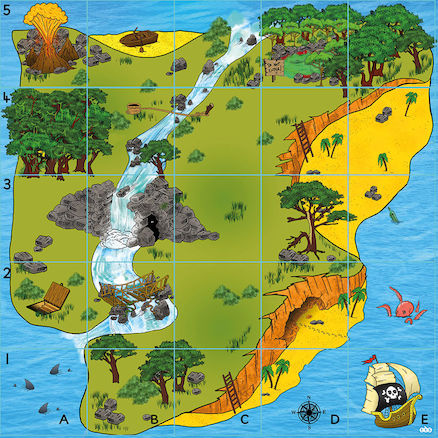
Use other Mats from TTS or make your own
Make a simple game where one pupil creates a set of instruction and the second one follows it to see where they end up.
Depending on pupil’s confidence and ability:
- Pair/ Groups of Pupils to do the activity for themselves
- Program the Blue-Bot
- Add different grids and images
Download multiple arrow images and grids from Barefoot Computing Here
Activity/Lesson 5 of 5/6
Giving instructions –Blue/Bee-Bot Debugging instructions
Highlight the successes from last lesson:
- Get pupils to show their instructions or algorithms
- Remind the pupils that the set of instructions is called an Algorithm
- Model some of your mistakes and why it didn’t work when you tried it out.
- Explain that they are going work on improving their instruction by finding the faults/errors or bugs.
Debugging is the process of finding and removing mistakes in computing algorithms or instructions.
Note that you are introducing the debugging concept that will be taught in CS in the following years.
Set out some instructions on paper and get the group to suggest if it will work – use the paper grids or the mats you have.


Use other Mats or make your own
Make a simple game where one pupil creates a set of instructions that doesn’t work and the second one follows it to see where they end up and then corrects the instructions or debugs.
Depending on pupil’s confidence and ability:
- Pair/ Groups of Pupils to do the activity for themselves
- Program the Blue-Bot and then debug
- Some may find the idea of deliberately making a mistake difficult and need support.
- This may work well over two lessons
Download multiple arrow images and grids from Barefoot Computing Here