Series of activities – open ended discovery 
Pupils play with remote control toys and devices to learn to create outcomes. E.g. it moves turns around and goes over there. They may understand that learn how to spot where they went wrong.
Linked to Blue Bot programming in years R-6
Objectives
- I can control an onscreen robot.
- I can make it go to a specific point.
- I may be able to change the way I control it when it doesn’t go where I want to.
ELG, P Levels and NC Objectives
ELG 15 Technology: children recognise that a range of technology is used in places such as homes and schools. They select and use technology for particular purposes
P Levels p 7/8
- Follow a short sequence of instructions to operate a digital device
- Give simple instructions to control a range of digital devices
- Understand that digital devices can be controlled in different ways
- Appreciate that changing instructions can change outcomes
- Can identify the steps of a known task
- Try alternative approaches in order to achieve a goal
- Understand that we control digital devices by giving them instructions.
- Can list the steps of a known task in order
- Independently follow a short sequence of instructions to achieve a specific outcome
- Create a short sequence of instructions to control a digital device
- Change instructions to achieve a different outcome.
Introduction to A.L.E.X. iPad App
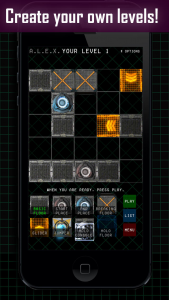
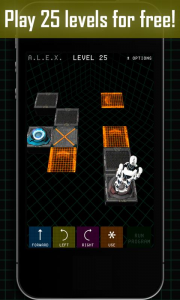
A.L.E.X is a game that lets players control a robot along a path. Free to download it has two modes, Play and Create.
- In the Play mode, players complete puzzles using the pieces given to them. The puzzles start off easy and get harder as the player advances.
- Players are evaluated on whether they successfully complete the level, how quickly they do so and whether they take the shortest path.
- Players must complete each level to unlock the next and the app offers 25 basics levels and an additional 35 upgrade levels. For £0.99 Upgrading also gives players access to more styles of robot and more pieces for creating levels.
- In the Create mode, players can devise and play through their own levels.
- They can save up to 5 of these levels and can edit them at any time. Overall, the game play is easy to understand and uses mechanics very similar to other games of this sort. The dark graphics are well done, if sometimes a bit too dark without enough contrast.
Activity
A.L.E.X.
- Model how to open the app – perhaps do one of the activities
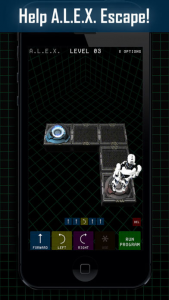
- Allow the pupils to have a go as soon as they want to.
- Work through the levels individually or in pairs.
- Work through some levels on the board.
Options
Allow you to change or mute the music, sound effects and
graphics quality. In the upgrade there are changes you can
make to the robot.